Everything, one plan
$59
per month
14-day free trial
Cancel anytime
- ✓ Mac app + menu bar connector
- ✓ Hosted MCP server
- ✓ Web dashboard + cloud sync
- ✓ REST API + webhooks
- ✓ HubSpot & GoHighLevel connectors
- ✓ Deliverability health panel
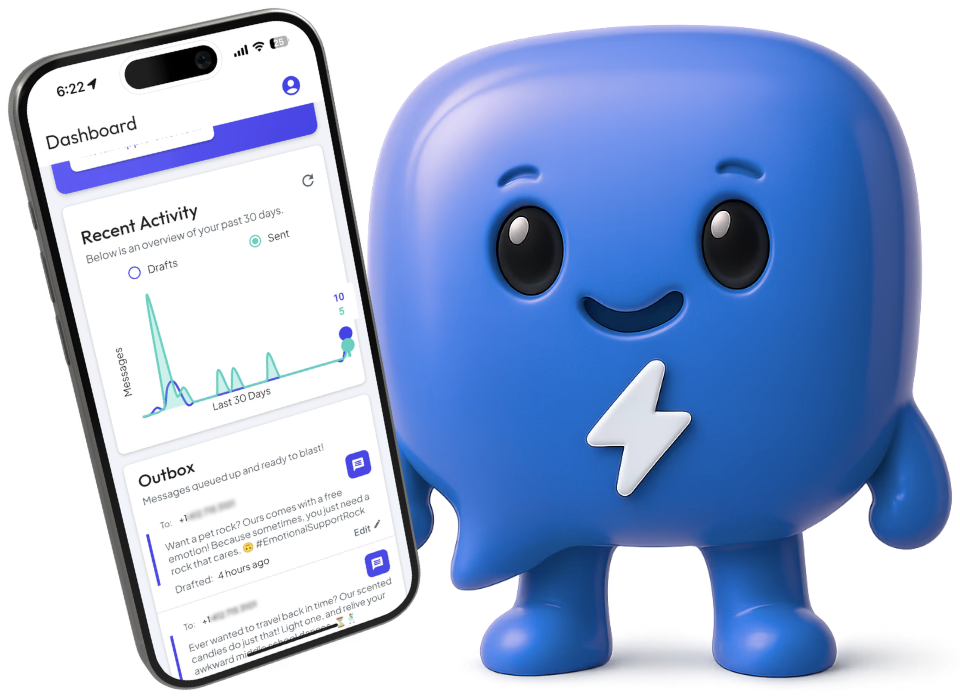
autoMessage installs the full automation stack — MCP server, REST API, webhooks — on the Mac you already own. The same infrastructure hosted platforms run. You're just not locked out of it.
14-day free trial, then $59/mo. Cancel anytime.
Plus 7,000+ platforms and CRMs. Automated iMessage in five minutes.
autoMessage ships a native MCP server, a REST API, and webhooks. Claude Desktop, Claude Code, Cursor, ChatGPT Desktop, Cline, Codex, and n8n plug in with one config line. HubSpot, GoHighLevel, Salesforce, Zapier, and Make connect through the API. Whatever stack you run, iMessage now speaks to it.
Download the menu bar app, grant Full Disk Access, sign in. Two minutes, no dev setup.
Add the autoMessage MCP server to your AI client, or point a webhook / REST call from your CRM. One config line either way.
Your AI reads, drafts, and sends iMessages from your number. Track everything from the dashboard.
Why it costs $59 and not $150
Most platforms make you choose: keep control, or get automation. autoMessage gives you both.
A hosted iMessage platform is two products on one invoice — the automation infrastructure, and a device with an Apple ID sitting in a farm. The infrastructure is what you came for. The hardware is what makes it $150 a line.
autoMessage is the infrastructure on its own: the Mac connector, the hosted MCP server, the REST API, webhooks, the dashboard, the deliverability panel — installed on the Mac already under your desk, signed in to the Apple ID you already use.
The hardware was never the product.
You set your own send limit. It lives in Settings — raise it, lower it, or clear it whenever you like. It counts only cold outreach, so conversations that have already replied to you always go through, and hitting it fails nothing: messages queue and send themselves as the window rolls forward.
Everywhere else that number is set for you — most often capped near 50 new conversations a day. That figure isn't Apple's law — it's what a freshly provisioned Apple ID in a farm can safely do. Yours has history, real two-way traffic, and years of normal use behind it. Different account, different headroom.
Apple still enforces its own limits, and they tighten on a number that reads as bulk outreach rather than conversation. Ramp up gradually and keep an eye on your reply rate — the deliverability panel flags trouble early. Running serious volume is what Enterprise is for: it spreads sending across multiple numbers.
No per-message fees. No setup fees. No annual contracts.
Everything, one plan
$59
per month
14-day free trial
Cancel anytime
Need multiple lines or a completely managed service? Talk to the team.
Public pricing from each vendor's site as of October 2026. We are the only iMessage platform with a native MCP server, and the only one that runs on hardware you already own — so there's no setup fee, and nothing of yours held by us.
| autoMessage | Tuco | Sendblue | Linq | Zernio | |
|---|---|---|---|---|---|
| Starting price | $59 per month | $59 per month + $335 setup | $100 per month | ~$167 per month + $500 setup (annual only) | $200 per sender/month, non-refundable once activated |
| Free trial | 14-day free trial | No trial | No trial | No trial | No trial on iMessage |
| Native MCP server | Yes | No | No | No | Yes |
| Who holds the account | You | Vendor | Vendor | Vendor | Vendor |
| Send limit | You set it adjustable any time, in Settings | 50 new conversations/day per line, vendor-enforced | 50 new contacts/day per line; 15/hour, max 6 messages before a reply | 50 new conversations/day hard cap, per line | 1,000 new conversations/day the highest published ceiling — but a new sender is paced from 2/day to 50 over three weeks first |
No — but the Mac app has to be running for messages to send. Most customers run it on their daily-driver Mac, or on an older Apple computer they already had sitting around. Outbound messages queue when the Mac is offline and send the moment it wakes up.
Yes. autoMessage runs in the background as a menu bar app — you keep using your computer exactly as before. Two things to know: Messages.app needs to be running, since that is what actually sends, and autoMessage keeps your Mac from sleeping while it is active so queued messages can go out.
Yes, through Apple's own Text Message Forwarding. Turn it on once on your iPhone — Settings → Apps → Messages → Text Message Forwarding → enable your Mac. Your iPhone only has to be switched on and online; it does not need to be anywhere near the Mac. Messages to other Apple users need nothing extra. Without forwarding, sends to Android numbers fail and their replies never reach your Mac.
You set it. The send limit lives in your Settings and you can raise, lower or clear it at any time — it is not something we decide for you. The real ceiling is Apple's, and it is not a fixed number: it scales with your account's history, so a long-standing Apple ID with real conversation traffic has more headroom than a brand-new one. Start conservative and scale gradually.
Claude Desktop, Claude Code, Cursor, ChatGPT Desktop, Cline, Codex, n8n, and any client that speaks stdio or Streamable HTTP MCP. If it can call an MCP tool, it can text.
It is your Apple ID and your Mac. We surface deliverability warnings (send rate, similar-content detection) so you stay below Apple's observed limits, but we do not enforce hard caps. You stay in control of your account.
Your Mac. Your Apple ID. Your AI. $59/mo, 14 days free.